GitHub Discussions 기반 댓글 시스템 (Giscus) 적용기
(수정: 2025년 12월 24일 오후 02:47)
GitHub Discussions 기반 댓글 시스템 (Giscus) 적용기
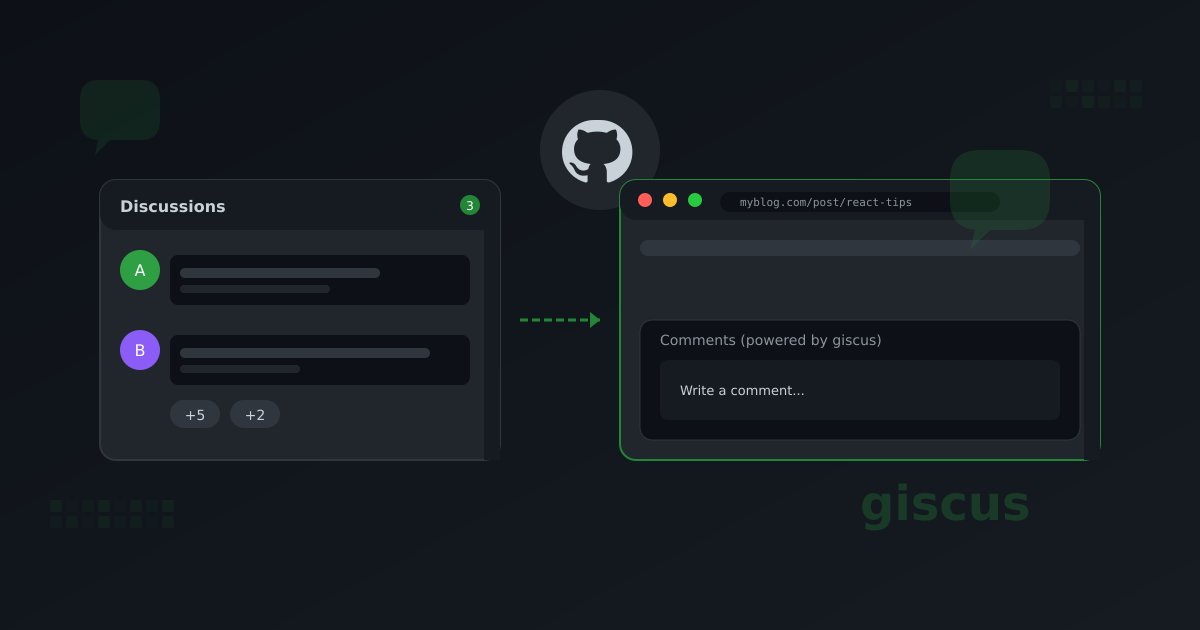
블로그에 댓글 기능을 추가하고 싶었습니다. 별도 백엔드 없이 GitHub Discussions를 활용하는 Giscus를 적용한 과정입니다.
Giscus란?
Giscus는 GitHub Discussions를 댓글 저장소로 사용하는 오픈소스 댓글 시스템입니다.
| 특징 | 설명 |
|---|---|
| 무료 | GitHub 계정만 있으면 사용 가능 |
| 서버리스 | 별도 백엔드 불필요 |
| 다크모드 | 테마 지원 |
| 리액션 | GitHub 이모지 리액션 지원 |
| 검색 | GitHub Discussions 검색 기능 활용 |
설정 과정
1. GitHub Repository 설정
- Discussions 활성화: Repository → Settings → Features → Discussions 체크
- Category 생성: Discussions 탭에서 "Announcements" 카테고리 생성 (또는 원하는 카테고리)
2. Giscus App 설치
- giscus.app 접속
- Repository 입력:
username/repo-name - 매핑 방식 선택:
pathname(URL 경로 기반) - Category 선택: "Announcements"
- 생성된 설정 값 복사
data-repo="username/repo-name"
data-repo-id="R_xxxxxxxxxx"
data-category="Announcements"
data-category-id="DIC_xxxxxxxxxx"
React 컴포넌트 구현
기본 구현
import { useEffect, useRef } from "react";

interface GiscusProps {
  slug: string;
}

const Giscus = ({ slug }: GiscusProps) => {
  const ref = useRef<HTMLDivElement>(null);

  useEffect(() => {
    if (!ref.current) return;

    // 기존 스크립트 제거
    const existingScript = ref.current.querySelector("script");
    if (existingScript) {
      existingScript.remove();
    }

    // 기존 iframe 제거 (페이지 이동 시)
    const existingIframe = ref.current.querySelector("iframe");
    if (existingIframe) {
      existingIframe.remove();
    }

    const script = document.createElement("script");
    script.src = "https://giscus.app/client.js";
    script.setAttribute("data-repo", "username/repo-name");
    script.setAttribute("data-repo-id", "R_xxxxxxxxxx");
    script.setAttribute("data-category", "Announcements");
    script.setAttribute("data-category-id", "DIC_xxxxxxxxxx");
    script.setAttribute("data-mapping", "pathname");
    script.setAttribute("data-strict", "0");
    script.setAttribute("data-reactions-enabled", "1");
    script.setAttribute("data-emit-metadata", "0");
    script.setAttribute("data-input-position", "bottom");
    script.setAttribute("data-theme", "dark");
    script.setAttribute("data-lang", "ko");
    script.crossOrigin = "anonymous";
    script.async = true;

    ref.current.appendChild(script);

    return () => {
      // 클린업
      if (ref.current) {
        const scriptToRemove = ref.current.querySelector("script");
        if (scriptToRemove) {
          scriptToRemove.remove();
        }
      }
    };
  }, [slug]);

  return <div ref={ref} className="giscus" />;
};
SPA에서의 페이지 전환 처리
React Router를 사용하는 SPA에서 페이지 전환 시 주의할 점이 있습니다.
문제점
- iframe 중복: 페이지 이동 시 이전 iframe이 남아있음
- 잘못된 Discussion 매핑: 새 페이지의 pathname으로 업데이트 안 됨
해결 방법
slug를 의존성 배열에 추가하고, useEffect 시작 시 기존 요소들을 제거합니다.
useEffect(() => {
  if (!ref.current) return;

  // 기존 스크립트 제거
  const existingScript = ref.current.querySelector("script");
  if (existingScript) {
    existingScript.remove();
  }

  // 기존 iframe 제거 (페이지 이동 시)
  const existingIframe = ref.current.querySelector("iframe");
  if (existingIframe) {
    existingIframe.remove();
  }

  // 새 스크립트 생성
  const script = document.createElement("script");
  // ... 속성 설정
  ref.current.appendChild(script);
}, [slug]); // slug 변경 시 재실행
핵심 포인트
- 기존 요소 제거: 스크립트와 iframe을 모두 제거해야 함
- slug 의존성: 포스트 변경 시 새로운 Discussion 로드
- 클린업 함수: 컴포넌트 언마운트 시 스크립트 정리
Discussion 자동 생성
Giscus는 첫 댓글이나 리액션이 달릴 때 자동으로 Discussion을 생성합니다.
404 에러는 정상
GET https://giscus.app/api/discussions?... 404 (Not Found)
[giscus] Discussion not found. A new discussion will be created...
이 에러는 해당 페이지의 Discussion이 아직 없을 때 발생하며, 정상 동작입니다. 첫 상호작용 시 자동 생성됩니다.
스타일링
Giscus 컨테이너를 블로그 디자인에 맞게 스타일링합니다.
return (
  <div
    ref={ref}
    className="giscus mt-16 pt-8 border-t border-border"
  />
);
/* Giscus iframe 스타일 조정 */
.giscus iframe {
  width: 100%;
  border: none;
}

/* 다크 모드 대응 */
.giscus {
  color-scheme: dark;
}
주의사항
1. Repository 공개 필수
Giscus는 공개 Repository에서만 작동합니다. Private Repository에서는 사용할 수 없습니다.
2. CORS 이슈 없음
Giscus는 iframe으로 동작하므로 CORS 문제가 없습니다. 클라이언트에서 직접 GitHub API를 호출하지 않습니다.
3. SSG 호환성
정적 사이트에서도 문제없이 동작합니다. 빌드 시에는 빈 div만 생성되고, 클라이언트에서 스크립트가 로드됩니다.
추가 기능 (선택)
테마 동기화
블로그 테마와 Giscus 테마를 동기화하려면 postMessage를 사용할 수 있습니다.
const updateGiscusTheme = (theme: "light" | "dark") => {
  const iframe = document.querySelector<HTMLIFrameElement>(
    "iframe.giscus-frame"
  );

  if (iframe) {
    iframe.contentWindow?.postMessage(
      {
        giscus: {
          setConfig: {
            theme: theme,
          },
        },
      },
      "https://giscus.app"
    );
  }
};
마무리
Giscus로 별도 백엔드 없이 댓글 기능을 구현했습니다:
- GitHub 인증: 별도 로그인 시스템 불필요
- Markdown 지원: GitHub Flavored Markdown 사용 가능
- 관리 용이: GitHub Discussions에서 직접 관리
- 무료: GitHub 무료 계정으로 충분
단점은 GitHub 계정이 있어야 댓글을 달 수 있다는 점이지만, 개발 블로그 특성상 큰 문제가 되지 않습니다.